How to Tell If Your Phone Is Hacked: 10 Signs and What to Do
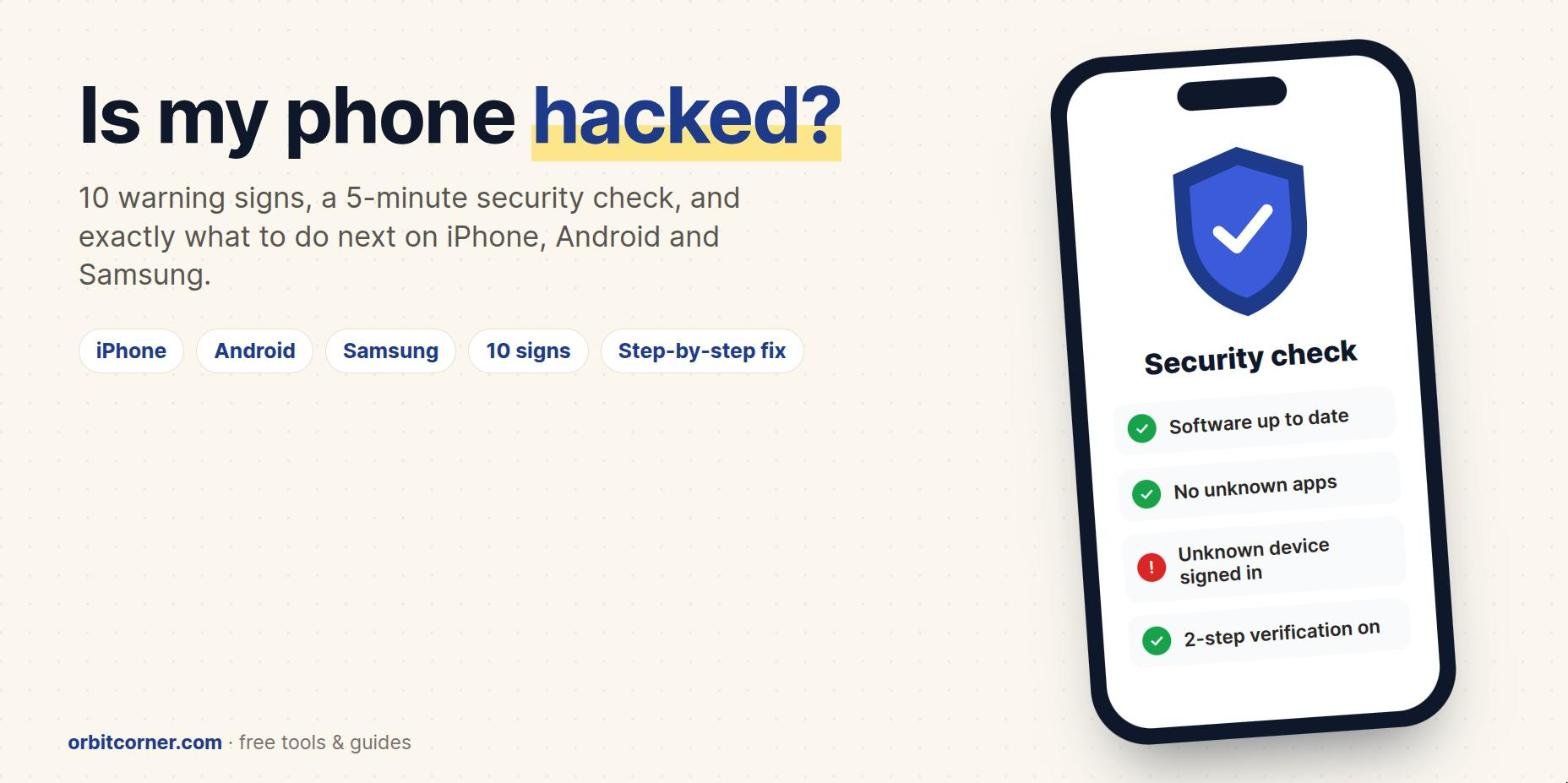
Short answer: the clearest signs of a hacked phone are sign-in alerts or password resets you didn’t ask for, apps you didn’t install, messages sent from your accounts that you didn’t write, and your phone suddenly losing all service. Faster battery drain, high data use and a hot phone can also be signs, but they usually have ordinary causes. If you’re worried, run the free built-in security check for your phone, change your important passwords from a device you trust, and turn on two-step verification. All the steps are below.
Most phones are never hacked in the movie sense. What does happen, often, is that a harmful app slips onto the phone, an account such as email, WhatsApp or iCloud gets taken over, a scammer moves your phone number to their SIM card, or someone with access to your phone installs a monitoring app. Each of these leaves clues, and each has a clear fix.
This guide covers iPhone, Android and Samsung Galaxy phones. The warning signs and steps come from the US Federal Trade Commission (FTC), Apple, Google and Samsung.
If you think a partner, ex or family member is spying on you, read the stalkerware section before you change anything. The FTC warns that removing a monitoring app can alert the person who installed it. In the US you can call the National Domestic Violence Hotline at 1-800-799-7233 or text START to 88788, ideally from a phone they can’t see.
10 signs your phone may be hacked
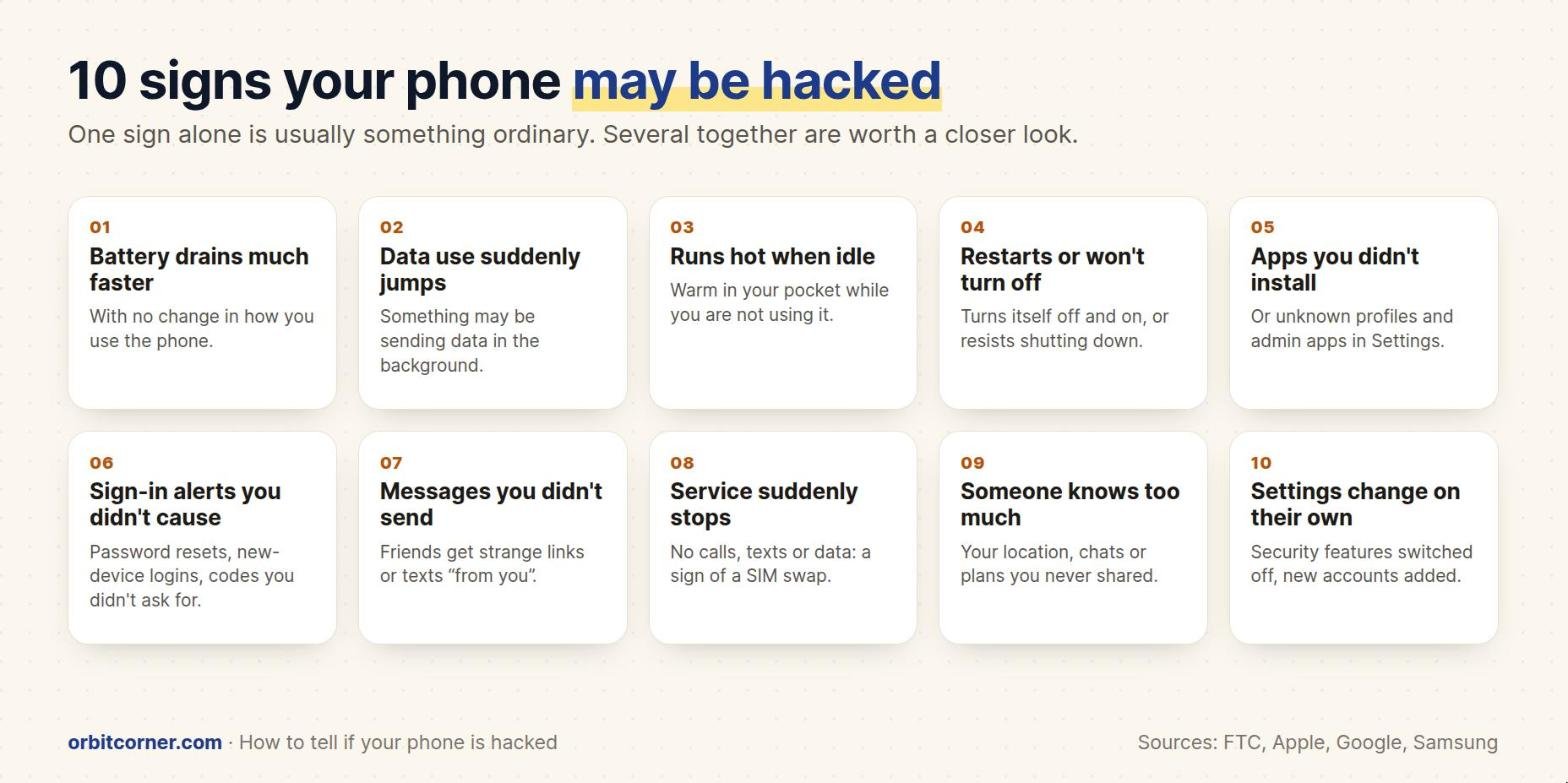
Treat these as clues, not proof. A single sign usually has an everyday explanation. Several together, especially from the account and app groups, are worth acting on.
Phone behavior
- The battery drains much faster with no change in how you use the phone. The FTC lists this as a sign of stalkerware. It is far more often caused by an update, a weak signal or a busy app, so check our guide on why your phone battery drains so fast first.
- Data use suddenly jumps. Spyware has to send what it collects somewhere. Compare this month’s mobile data with last month’s in your phone’s settings or your carrier’s app.
- The phone runs hot when you’re not using it. A warm phone in your pocket can mean something is working in the background.
- It turns off and on by itself, or won’t shut down normally. The FTC lists a phone turning off and on on its own among the signs of stalkerware.
Apps and settings
- Apps you didn’t install, or unknown profiles or device admin apps in Settings. These can give another person or company control over the phone.
- Security settings change on their own, such as Play Protect turned off, a new account added, or new permissions for an app you don’t recognize. The FTC also lists unexpected changes in your settings.
Accounts and your number
- Sign-in alerts, password-reset emails or verification codes you didn’t ask for. Someone may be trying to get into your accounts, or may already be in.
- Messages, posts or calls you didn’t make. Friends get strange links “from you” on WhatsApp, Instagram or by text.
- Your phone suddenly has no service: no calls, texts or data. The FTC warns this can be a SIM swap, where a scammer convinces your carrier to move your number to their SIM so they receive your texts and security codes.
People
- Someone knows things they shouldn’t: where you’ve been, what you said in private chats, or who you’ve been texting. The FTC lists this as a sign of stalkerware, especially if that person has had your phone without you watching.
Things that are usually NOT signs of hacking
- A pop-up saying “Your phone is hacked!” or “Virus detected!” These are fake ads trying to scare you into installing something or calling a fake support line. Samsung warns users never to trust them. Close the tab and don’t tap anything in the pop-up.
- A slow phone on its own. Full storage, an old battery or a big update is a much more common cause.
- Faster battery drain right after an update. Apple and Google both say this is normal for a few days while the phone finishes background tasks.
- Odd sounds on calls. These are almost always network or Bluetooth problems. Modern phone tapping doesn’t make clicks.
The 5-minute security check
Every phone has free, built-in tools that scan for harmful apps and show who has access to your accounts. You don’t need to buy an antivirus app first.
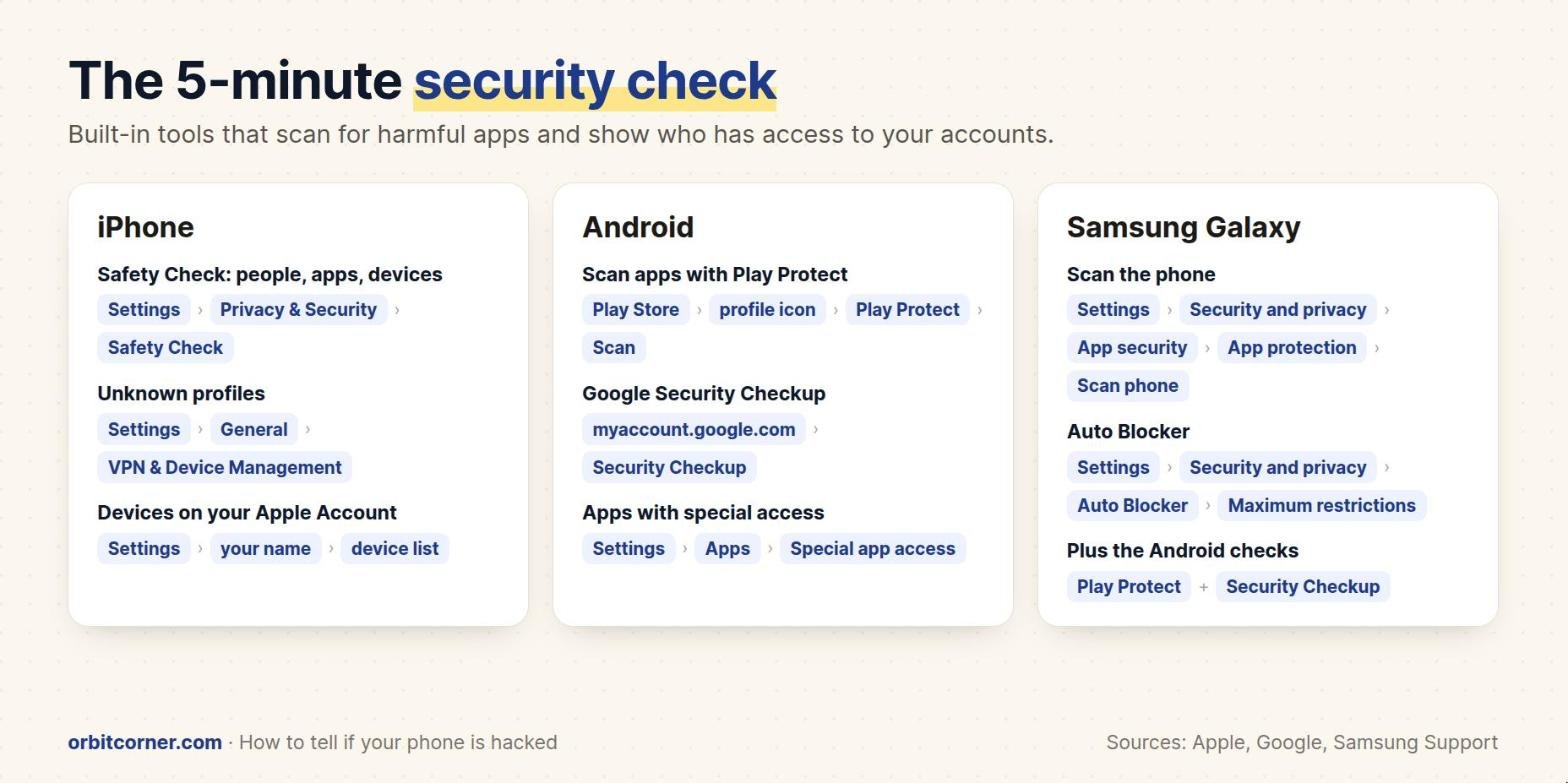
iPhone
- Safety Check (iOS 16 and later): Settings › Privacy & Security › Safety Check. Manage Sharing & Access shows which people and apps can see your location and data, and which devices are signed in to your Apple Account, so you can remove any you don’t recognize. Emergency Reset stops all sharing at once and lets you change your Apple Account password.
- Unknown profiles: Settings › General › VPN & Device Management. If you see a profile you didn’t install and your phone isn’t from work or school, tap it and remove it.
- Signed-in devices: tap your name at the top of Settings and scroll to the device list. Remove any device you don’t own.
- Apple threat notifications: Apple warns a small number of people (such as journalists and activists) who may have been targeted by expensive “mercenary” spyware. To check a warning is real, sign in at account.apple.com yourself: a genuine notice appears at the top of the page. Apple recommends that people who get one turn on Lockdown Mode (Settings › Privacy & Security › Lockdown Mode).
Android (Pixel, Motorola, OnePlus and others)
- Google Play Protect checks apps when you install them and scans the phone for harmful apps, including apps from outside the Play Store. To scan now: open the Play Store, tap your profile icon › Play Protect › Scan. Keep Play Protect turned on.
- Google Security Checkup at myaccount.google.com shows recent security events, the devices signed in to your Google account and third-party apps with access. Sign out any device you don’t recognize.
- Apps with powerful access: look in Settings › Apps › Special app access, and search Settings for “device admin” and “accessibility”. Spyware often asks for these. Turn off and uninstall anything you don’t recognize.
Samsung Galaxy
- Scan the phone: Settings › Security and privacy › App security › App protection › Scan phone, then uninstall anything it flags. Samsung notes this may not be available on every model or carrier.
- Auto Blocker: Settings › Security and privacy › Auto Blocker. It blocks apps from unauthorized sources and suspicious activity; turn on Maximum restrictions for extra protection.
- Safe Mode: if a harmful app keeps coming back, restart in Safe Mode, which turns off all downloaded apps so you can uninstall it.
- Galaxy phones run Android, so also run Play Protect and Google Security Checkup from the section above.
What to do if your phone is hacked
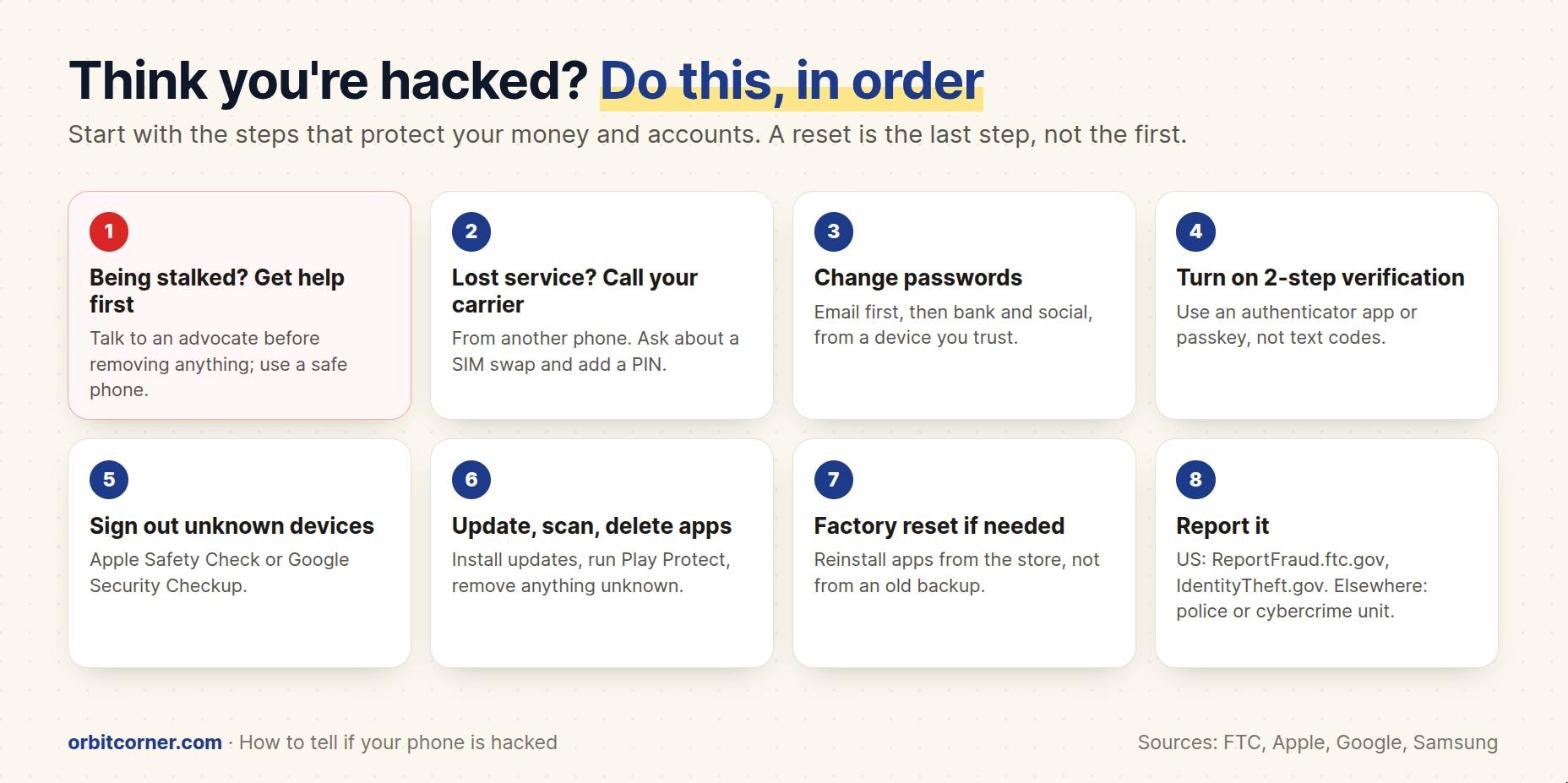
1. If you might be stalked, get help before changing anything
See the stalkerware section below. Your safety comes before the phone.
2. Lost service? Call your carrier from another phone
If your phone suddenly has no service, call your mobile carrier right away from a different phone and ask whether your SIM or number was moved. Ask them to add a PIN or passcode and number-lock or port-out protection to your account.
3. Change your passwords, starting with email
Your email account can reset almost every other password, so secure it first. Then do your Apple or Google account, bank, payment apps, WhatsApp and social media. If you think the phone itself is compromised, change passwords from a different device you trust. Use a new, unique password for each account; a password manager makes this easy.
4. Turn on two-step verification
Add a second step to every important account. Where you can, use an authenticator app, a passkey or a security key instead of text-message codes. The FTC notes that text codes may not protect you from a SIM swap, because the scammer receives your texts.
5. Sign out devices and apps you don’t recognize
Use Safety Check on iPhone or Google Security Checkup on Android to remove unknown devices and apps. Check WhatsApp’s Linked devices and the “where you’re logged in” page of each social account too.
6. Update the phone, scan it and delete unknown apps
- iPhone: Settings › General › Software Update. Delete any app you don’t recognize and remove unknown profiles.
- Android: Settings › System › Software update, then run a Play Protect scan and uninstall anything flagged or unfamiliar.
- Samsung Galaxy: update in Settings › Software update, run Scan phone, and use Safe Mode to remove stubborn apps.
7. Factory reset if the problem continues
Back up your photos and files, then erase the phone and set it up again. When you reinstall, download apps fresh from the App Store or Google Play. The FTC warns that restoring apps from an old backup could reinstall the spyware. If someone may know your passcode, change it.
8. Report it
In the US, report scams and SIM swaps at ReportFraud.ftc.gov, and identity theft at IdentityTheft.gov, which gives you a recovery plan. Elsewhere, contact your local police or national cybercrime unit. Tell your bank if any money or cards may be affected.
Stalkerware: when someone you know is watching
Stalkerware is an app that secretly shares your location, messages, calls or photos with another person, often a current or former partner. It usually needs someone to have your phone in their hands, and it is designed to stay hidden.
The FTC’s advice is different from normal hacking advice, because your safety comes first:
- Talk to an advocate before you remove anything. The FTC warns that an abuser may escalate if they suspect you are cutting off their access. In the US, call the National Domestic Violence Hotline at 1-800-799-7233, chat at thehotline.org, or text START to 88788.
- Use a safe device, such as a friend’s phone or a computer at a library, to look for help. Searching or calling on a monitored phone may be seen.
- Write down and save evidence before you reset or replace the phone.
- A new phone, with new accounts the other person can’t access, is the safest option. If you keep your phone, a full factory reset may remove the stalkerware. Don’t restore apps from a backup.
- Secure your accounts with new passwords and two-step verification, and use a passcode of at least six digits that they don’t know.
How to keep your phone from being hacked
| Habit | Why it matters |
|---|---|
| Install updates as soon as they arrive | Updates fix the security holes that attackers use |
| Only install apps from the App Store, Google Play or Galaxy Store | Harmful apps usually come from links and outside downloads |
| Use a 6-digit (or longer) passcode, and don’t share it | Most stalkerware needs someone to unlock your phone |
| Turn on two-step verification with an app or passkey | Stops account takeovers even if a password leaks |
| Add a PIN to your mobile carrier account | Makes a SIM swap much harder |
| Don’t tap links in unexpected texts or emails | Fake delivery and bank messages are the most common trap |
| Never share a verification code with anyone | Companies never call to ask for your code; anyone who does is a scammer |
| Keep Play Protect / Auto Blocker on | Free, built-in scanning that runs every day |
If you need to show your bank, carrier or the police a strange message or alert, take a screenshot of it before you delete anything.
More free guides and tools
Step-by-step guides for everyday tech problems, plus free tools that run in your browser with no sign-up.
Frequently asked questions
Can someone hack my phone just by calling me or sending a text?
For almost everyone, no: a normal call or text can’t take over your phone unless you tap a link, install something or share a code. Rare “zero-click” spyware does exist, but it is very expensive and aimed at specific people such as journalists and activists. Apple sends threat notifications to people it believes were targeted.
Is there a code I can dial to check if my phone is hacked?
No. Codes shared online (such as *#21#) only show call-forwarding settings on some carriers. They can’t detect spyware. Use the built-in security checks in this guide instead.
Will a factory reset remove a hacker?
A factory reset removes apps and spyware on the phone in almost all cases. It does not fix hacked accounts, so also change your passwords and turn on two-step verification. Don’t restore apps from an old backup afterwards.
Do I need an antivirus app on my phone?
Most people don’t. iPhones don’t allow traditional antivirus apps, and Android phones already have Google Play Protect, which scans apps every day. Samsung adds App protection and Auto Blocker. Keeping your phone updated matters more.
How do I know if my phone number was SIM-swapped?
Your phone suddenly loses all service, and you may get emails about password resets or account changes. Call your carrier immediately from another phone.
Can someone see my screen or camera remotely?
Only if spyware is installed or you shared your screen. On iPhone, a green dot at the top of the screen means the camera is on and an orange dot means the microphone is on; Android shows a green indicator for both. If you see one when no app should be using them, swipe down to see which app it is.
Sources
- FTC: Stalkerware, what to know
- FTC: SIM swap scams, how to protect yourself
- Apple Personal Safety Guide: How Safety Check works
- Apple: About Apple threat notifications and mercenary spyware
- Google: Use Google Play Protect to keep your apps safe
- Google Security Checkup
- Samsung US: What to do if your Galaxy phone has been hacked
- Samsung US: Use Auto Blocker to protect your Galaxy phone
- IdentityTheft.gov (FTC)