How to Write AI Prompts That Work: The 6-Part Formula (With Examples)
You ask ChatGPT for a cover letter and get something stiff and generic. You ask for a study plan and get a wall of text you never asked for. The AI is not the problem. The prompt is.
Here is a simple 6-part formula for writing AI prompts that get a great answer the first time, in ChatGPT, Claude, Gemini or any other chat AI. It is based on the official prompting guides from OpenAI, Anthropic and Google.
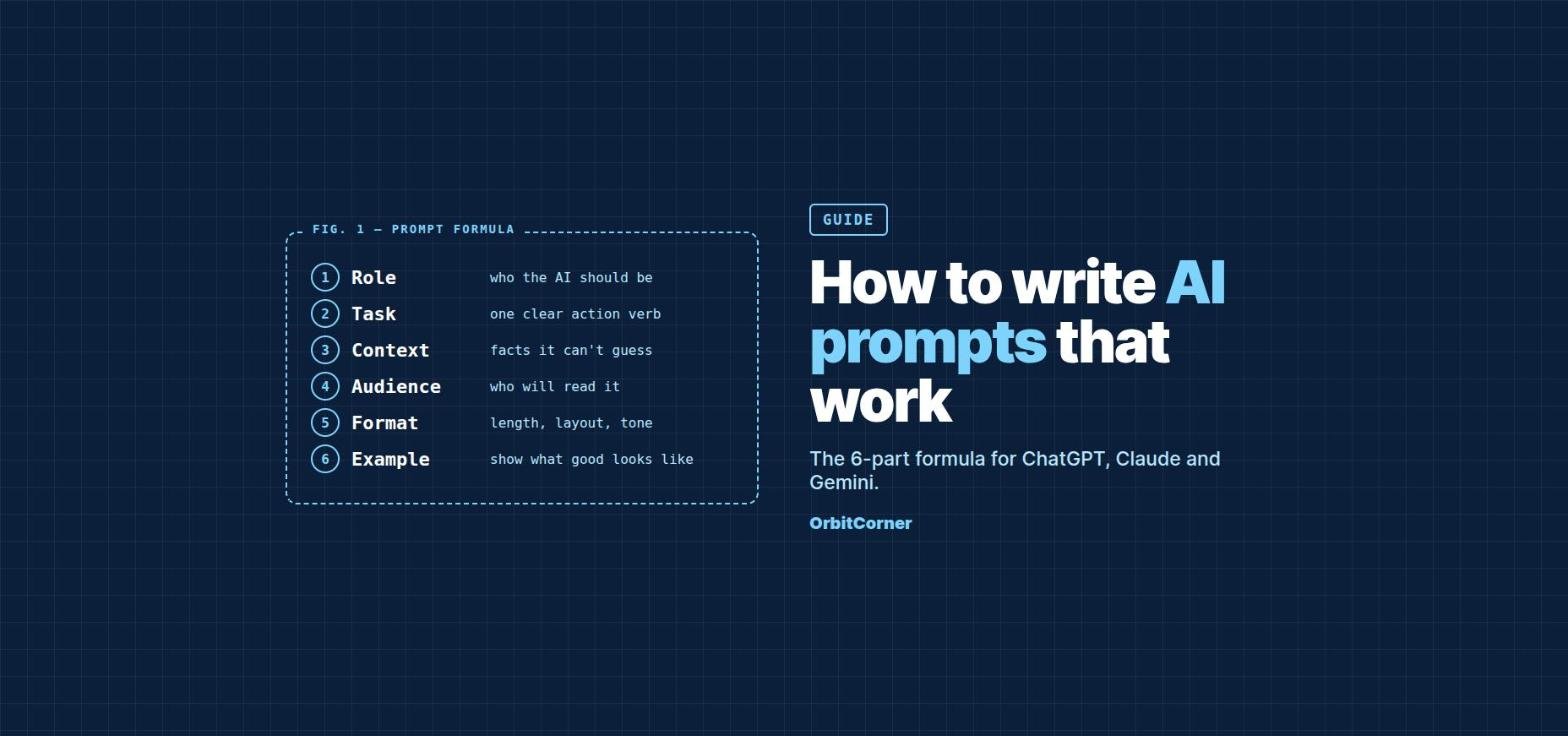
Short answer: A good prompt tells the AI who to be (role), what to do (task), what it needs to know (context), who it is for (audience), how the answer should look (format) and, ideally, an example of what good looks like. Our free AI prompt generator builds this for you as you type.
Why most AI prompts do not work
Most people type a few words and hope for the best. Google’s Workspace team found that the most successful prompts average around 21 words, while people’s first attempts are usually fewer than nine.
Anthropic’s guide for Claude puts it well: treat the AI like a brilliant new colleague who knows nothing about your situation. A useful test is to show your prompt to a friend with no background. If they would be confused about what you want, the AI will be too.
The 6-part prompt formula
1. Role: who should the AI be?
Start by giving the AI a role. “You are an experienced career coach” or “Act as a patient math tutor for a 14-year-old” changes the vocabulary, the depth and the tone of the answer. OpenAI’s guide lists identity (purpose, tone and goals) as the first part of a well-structured prompt.
2. Task: one clear action
Use a clear verb: write, explain, summarize, compare, plan, fix, list or rewrite. “Write a cover letter for the junior data analyst role at Northwind Analytics” is a task. “Cover letter help” is not. If you have several jobs, ask for them one at a time, or number them.
3. Context: the facts it cannot guess
This is where most of the quality comes from. Add your situation, the key details, and why you need it. Anthropic notes that explaining the reason behind an instruction helps the AI apply it more intelligently. “Keep it short because it will be read on a phone” works better than “keep it short”.
4. Audience: who will read it?
An explanation for a 12-year-old, a busy manager and a technical expert should look completely different. One line like “for a hiring manager who will skim it in under a minute” changes the whole answer.
5. Format: length, layout and tone
Say exactly how you want the answer to look: “3 short paragraphs”, “a table with 4 columns”, “5 bullet points”, “about 200 words”, “friendly but professional”. Without it, the AI picks a format for you, and it is often not the one you need.
6. Example: show what good looks like
If you have a sample you like, paste it in and say “match this style”. Examples are one of the most reliable ways to control format and tone, and Anthropic recommends using 3 to 5 varied examples for bigger tasks. Even one short example helps.
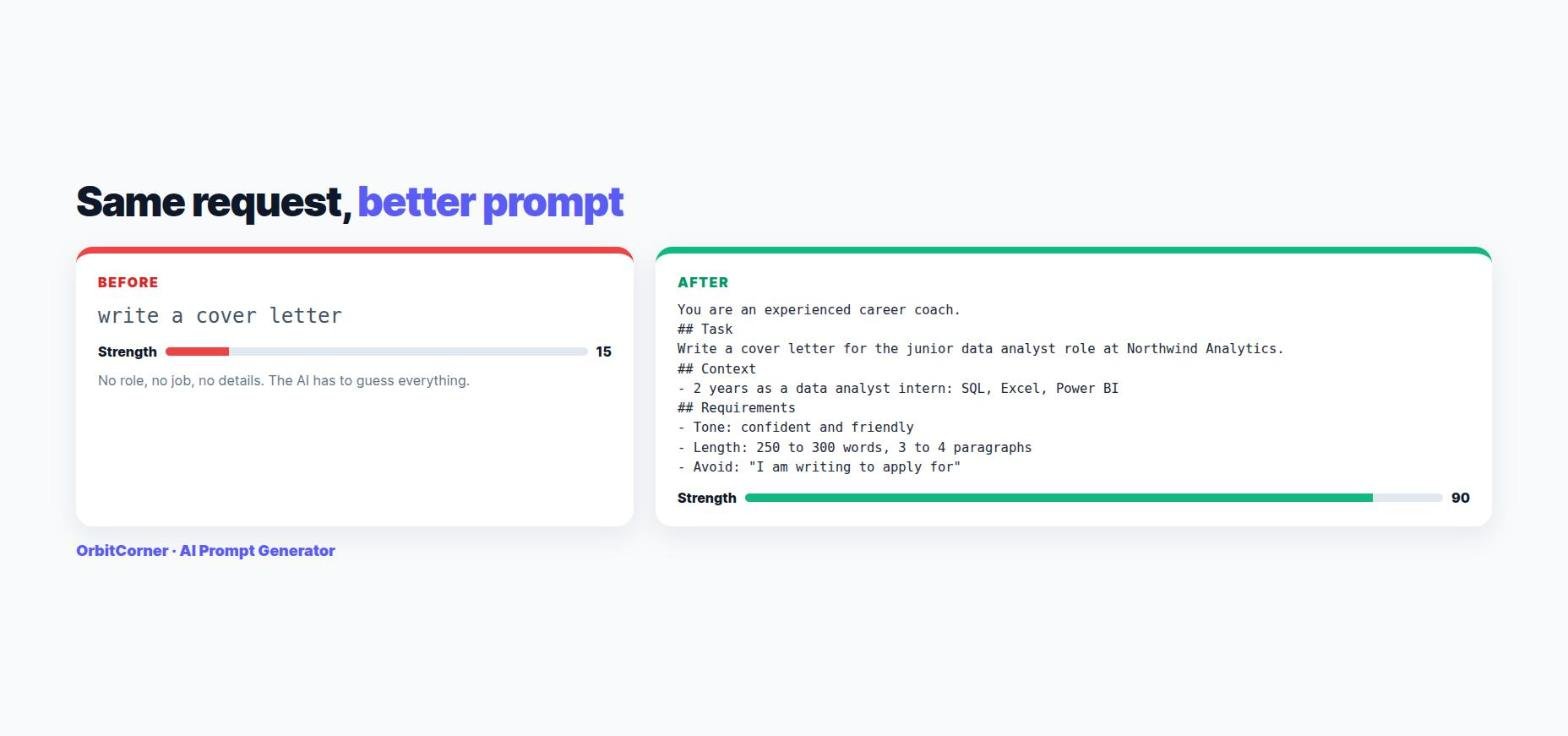
A prompt template you can copy
Replace the parts in [square brackets] and paste it into any AI:
You are [role, e.g. an experienced career coach].

## Task
[One clear action, e.g. Write a cover letter for the junior data analyst role at Northwind Analytics.]

## Context
- [Fact 1 the AI needs to know]
- [Fact 2]

## Audience
[Who will read it]

## Requirements
- Tone: [friendly, professional, simple...]
- Length: [about 250 words / 5 bullet points]
- Format: [paragraphs, table, step-by-step]
- Avoid: [anything you do not want]

## Before you answer
If anything important is missing, ask me up to 3 short questions first.
Do not want to type all that? Our AI Prompt Generator fills in this structure as you type, suggests a role from your task, and gives your prompt a strength score from 0 to 100 so you can see what is missing.
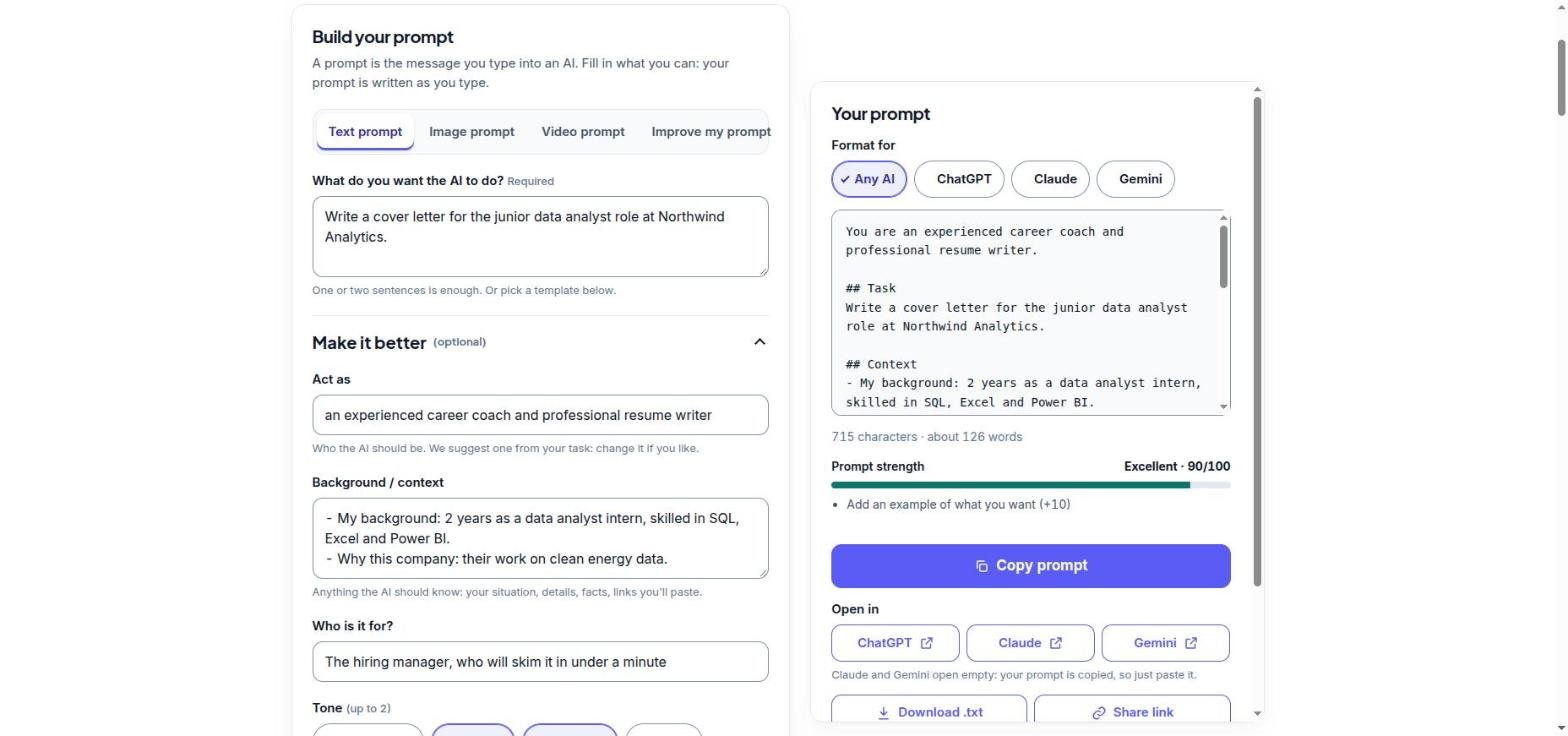
Build your prompt in seconds
Type what you want, pick a tone and format, and copy an expert prompt for ChatGPT, Claude or Gemini. Free, no sign-up, nothing is sent to a server.
Tips for ChatGPT, Claude and Gemini
The formula works everywhere, but each AI has small preferences:
- ChatGPT: OpenAI suggests putting the parts of a prompt in this order: identity, instructions, examples, then context, and using Markdown headings or XML tags to separate them. Its reasoning models can work from a high-level goal, while standard GPT models do best with explicit, step-by-step instructions.
- Claude: Anthropic recommends wrapping each part in XML-style tags, such as
<task>,<context>and<example>, so Claude can tell your instructions apart from your material. Claude also follows instructions very literally, so ask for exactly what you want. - Gemini: Google’s own advice is built on persona, task, context and format, written in natural, full sentences. It also suggests splitting several related jobs into separate prompts.
A Claude-style version of the same prompt looks like this:
You are an experienced career coach.

<task>Write a cover letter for the junior data analyst role at Northwind Analytics.</task>

<context>
- 2 years as a data analyst intern, skilled in SQL, Excel and Power BI
- I like the company because of its clean energy data work
</context>

<requirements>
Confident and friendly tone, 250 to 300 words, no bullet points.
</requirements>
In the prompt generator, just tap Claude under “Format for” and it switches to this tag style automatically.
7 prompt mistakes to avoid
- Being vague. “Make it better” gives the AI nothing to aim for. Say what better means: shorter, warmer, more persuasive, simpler.
- Asking for everything at once. Five tasks in one prompt usually means five half-done answers. Split them up.
- Only saying what NOT to do. “Don’t be boring” works worse than “use short sentences and one surprising fact”.
- Forgetting the format. If you need a table, say “table”. If it must fit in a text message, say so.
- Leaving out your details. The AI cannot know your job, your audience or your deadline unless you tell it.
- Giving up after one answer. The first reply is a draft. Follow up with “make it shorter” or “more like the second paragraph”.
- Pasting private data. Never share passwords, card numbers or other people’s personal details with any AI.
Follow-up prompts that improve any answer
- “Make it 30% shorter without losing the key points.”
- “Rewrite it for a complete beginner.”
- “Give me 3 different versions so I can choose.”
- “What is missing or unclear in your answer?”
- “Turn this into a table.”
- “Ask me 3 questions that would help you improve this.”
FAQ
What is the best way to write an AI prompt?
Give the AI a role, one clear task, the context it needs, the audience, and the format you want. Adding a short example of a good result makes it even better.
How long should a prompt be?
Long enough to include the key details. Google found the most successful prompts average around 21 words, but a complex task can need a paragraph or more. Clarity matters more than length.
Do the same prompts work in ChatGPT, Claude and Gemini?
Yes. The 6-part formula works in all of them. Claude responds especially well to XML-style tags, and ChatGPT and Gemini work well with Markdown headings.
Is there a free tool that writes prompts for me?
Yes. OrbitCorner’s AI Prompt Generator is free, needs no sign-up, has 40+ ready-made templates, and builds the prompt in your browser.
Should I tell the AI to “think step by step”?
Newer reasoning models already think before answering, so it is rarely needed. Asking it to check its own work, or to ask you questions first, is usually more useful.
Keep reading
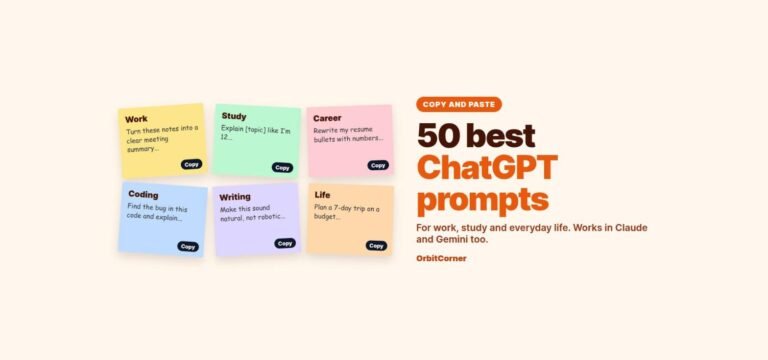
- 50 best ChatGPT prompts for work, study and everyday life
- AI image prompts: how to write them, with 25 examples