How to Make a QR Code That Never Expires (Free, Static)
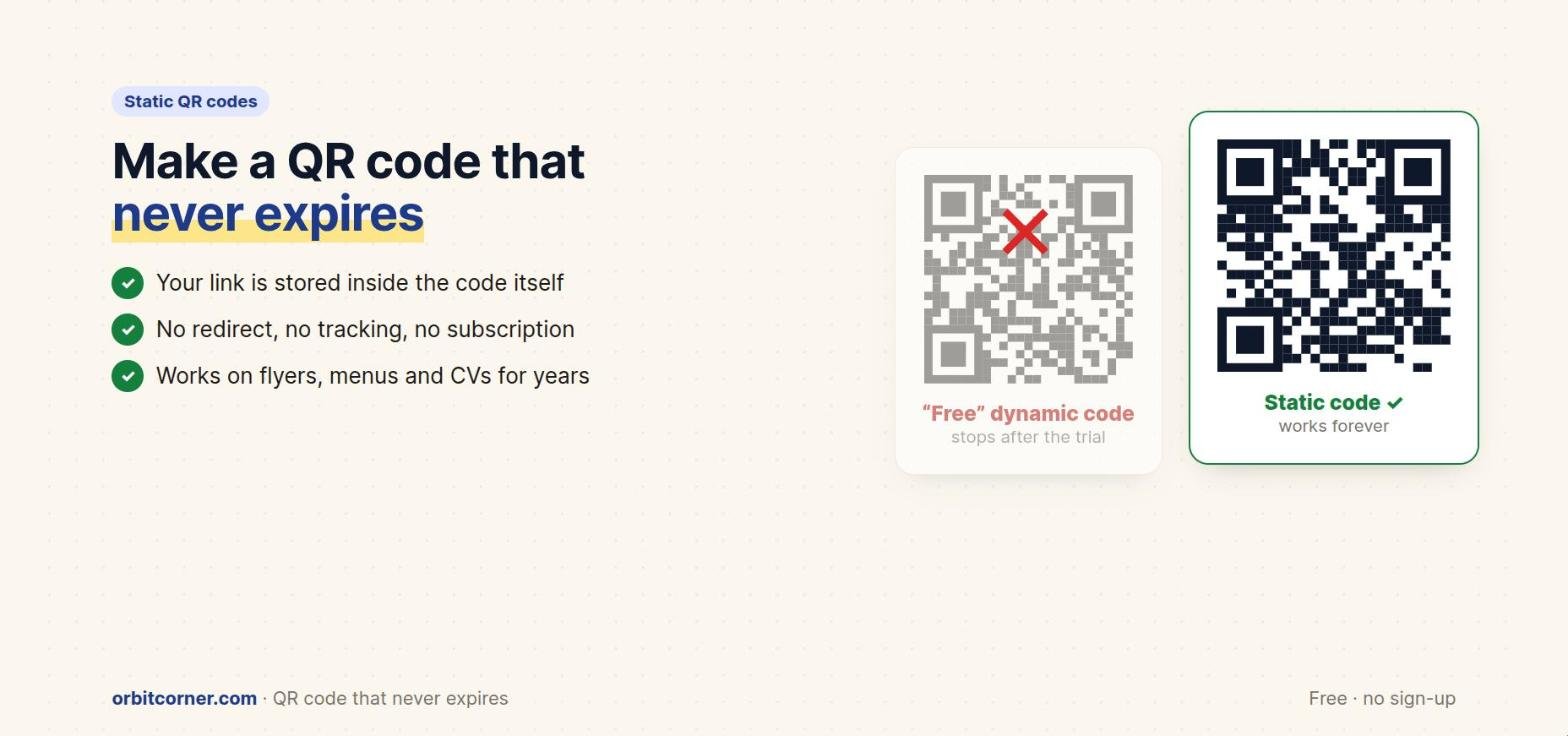
Short answer: make a static QR code. A static code stores your link or text inside the black-and-white pattern itself, so it never expires and doesn’t depend on any company. “Dynamic” codes send people through the QR company’s server first, and many stop working when a free trial ends.
Every month, people print QR codes on business cards, menus, flyers and CVs, only to find weeks later that the code no longer works. They didn’t do anything wrong: they used a site that made a dynamic code, offered it as “free”, and switched it off when the trial ended unless they paid a subscription.
Here’s how QR codes work, why some expire, and how to make one that will keep working for as long as the printed paper lasts.
Do QR codes expire?
The QR code itself never expires. It’s just a pattern that a phone camera turns back into text. Japan’s DENSO WAVE invented the QR code in 1994 and chose not to enforce its patent, so anyone can make and read QR codes for free. That’s why they’re everywhere.
What can expire is the service behind a dynamic code. If your code points to the QR company’s short link instead of your own website, the company controls whether that link keeps working.
Static vs dynamic QR codes

| Static QR code | Dynamic QR code | |
|---|---|---|
| What’s inside | Your actual link or text | A short link to the QR company |
| Expires? | Never | Can stop when you stop paying |
| Edit after printing? | No: make a new code | Yes, from your account |
| Scan statistics? | No | Yes |
| Tracks people who scan? | No | The company can log scans |
| Cost | Free | Often a monthly or yearly plan |
When dynamic makes sense: a big marketing campaign where you need scan statistics or must change the destination after printing, and you’re happy to pay for it. For almost everything else (a menu, a CV, a business card, WiFi for guests, a link to your shop) a static code is simpler, private and permanent.
How to make a static QR code (free)
With our free QR Code Generator, every code is static. Nothing is stored on our servers, and you don’t need an account.
- Choose what the code should do: website, text, WiFi, contact card, email, phone, SMS, WhatsApp, location or event.
- Paste your link or type the details.
- Style it if you like: colours, rounded dots, a logo in the centre and a “Scan me” frame.
- Check the “Scan verified” badge, which shows the code decodes correctly.
- Download a PNG for screens, or an SVG or PDF for sharp printing.
Make it scan every time
- Keep strong contrast. A dark code on a light background scans best. Light codes on dark backgrounds fail on some phones.
- Leave a quiet zone. Keep a clear margin around the code; don’t crop it tight to the edge.
- Print big enough. As a rule of thumb, make the code at least 2 cm (about 0.8 in) wide for close scanning, and bigger for posters seen from far away.
- Keep the logo small. A logo should cover no more than about a fifth of the code, and you should use high error correction.
- Shorter is better. Long links make dense codes. Use a short, clean link to your own site.
- Test before printing. Scan it with an iPhone and an Android phone, from the distance people will use.
“My QR code stopped working”: what to do
- Scan it with your phone camera and look at the address it opens. If it’s the QR company’s domain, not yours, it’s a dynamic code.
- Decide whether the printed material is worth a subscription. If not, make a new static code that points straight to your link.
- Reprint, or put a sticker with the new code over the old one.
- For the future, keep the link inside the code pointing to your own website. If you ever need to change where people go, change that page instead.
Make a QR code that never expires
Static codes for links, WiFi, contacts, WhatsApp and more, with a logo and frames. PNG, SVG and PDF. Free, no sign-up, no tracking.
FAQ
Is a static QR code free forever?
Yes. The information is inside the code, so it doesn’t rely on any account, server or subscription.
Can I change a static QR code after printing?
No. You’d make a new code. Tip: point the code to a page on your own website, then update that page whenever you need.
Can I track scans with a static QR code?
Not directly. You can add tracking parameters to your own link (like ?src=flyer) and see visits in your website analytics.
Is it legal to make QR codes for free?
Yes. DENSO WAVE invented the QR code and chose not to exercise its patent rights. “QR Code” is its registered trademark.